
Sign in
_clarissabeck Beck

_clarissabeck Beck

@_clarissabeck
Fitness HealthTechnologyCreative ArtsLifestyle

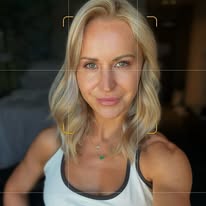
Clarissa Beck shares aesthetic iPhone photography and video tutorials centered on wellness and soft discipline. They provide step-by-step filming hacks and specific camera settings to help others achieve a cinematic look. This approach works well for creators looking to simplify their own content production.

Total followers
53.2K

About me

📸 aesthetic iPhone content made simple 🤍 photography, wellness & soft discipline 👇🏻 steal my exact settings & filming process📍Tampa, FL

Refreshed Sep 21, 2026 · may be out of date

Key metrics

Followers
53.2K
Point in time
Following
2.1K
Total views
7.3M
Engagement rate
8.3%
Window not reported
Interactions
599.4K
Posts
673
Avg. likes
2.1K

Views by content type

Ad0%
Carousel Item0%
Reel95%
Story4%
Carousel Container1%

Views by audience type

Follower6%
Non-follower93%
Unknown0%

Interactions by content type

Ad0%
Reel98%
Post1%
Story1%

Audience demographics

Gender

  • Female81.1%
  • Male18.9%

Age

Top countries

🇺🇸 United States25.8%
🇮🇳 India9.4%
🇬🇧 United Kingdom7.5%
🇩🇪 Germany5.6%
🇨🇦 Canada4.2%
🇦🇺 Australia4.1%
🇵🇭 Philippines2.7%
🇮🇩 Indonesia2.3%
🇮🇷 Iran2.2%
🇪🇬 Egypt1.8%

Recent posts

Want my full 30-shot list? Comment “inspo” and I’ll send it to you for free 📸

Save this for your next content day 🫶

#creatortips #shotoniphone #iphonephotography #contenttips #9to5creator

Want my full 30-shot list? Comment “inspo” and I’ll send it to you for free 📸 Save this for your next content day 🫶 #creatortips #shotoniphone #iphonephotography #contenttips #9to5creator

832 likes156 comments
Try this simple edit hack 📱Edited in the app edits 🫶

#editingtutorial #editinghacks #creatortips #contenttips #howtoedit

Try this simple edit hack 📱Edited in the app edits 🫶 #editingtutorial #editinghacks #creatortips #contenttips #howtoedit

2.9K likes17 comments
Turn any picture into a short video >>>

1. Open edits + add your photo
2. Select the photo in the timeline
3. Move playhead to where you want the movement to start
4. Tap the diamond icon (this sets your first keyframe)
5. Move the playhead to where you want the movement to end 
6. Tap the diamond icon (this sets your second keyframe)
7. Go back to the beginning, pinch the screen to zoom in
8. Done ✔️ 

Want my full editing process, not just the keyframes? Comment PLAYBOOK and I’ll send you the link 📸

#iphonephotography #shotoniphone #edits #editingtutorial #creatortips

Turn any picture into a short video >>> 1. Open edits + add your photo 2. Select the photo in the timeline 3. Move playhead to where you want the movement to start 4. Tap the diamond icon (this sets your first keyframe) 5. Move the playhead to where you want the movement to end 6. Tap the diamond icon (this sets your second keyframe) 7. Go back to the beginning, pinch the screen to zoom in 8. Done ✔️ Want my full editing process, not just the keyframes? Comment PLAYBOOK and I’ll send you the link 📸 #iphonephotography #shotoniphone #edits #editingtutorial #creatortips

10.6K likes575 comments
Fix your settings once and you’ll never have to adjust them again 📱📸

Full free iPhone camera settings guide in my B I O 🫶

S A V E & F O L L O W for more content like this!

#iphonecamerasettings #shotoniphone #iphonephotography #iphonetips #contenttips

Fix your settings once and you’ll never have to adjust them again 📱📸 Full free iPhone camera settings guide in my B I O 🫶 S A V E & F O L L O W for more content like this! #iphonecamerasettings #shotoniphone #iphonephotography #iphonetips #contenttips

999 likes3 comments
My personal favorites 📱 >>>

amber >>> sunrise + sunset
gold >>> morning routine at home
quiet >>> outdoor cinematic look

S A V E & F O L L O W for more content like this 📸

#shotoniphone #editedoniphone #iphonephotography #creatortips #photographicstyles

My personal favorites 📱 >>> amber >>> sunrise + sunset gold >>> morning routine at home quiet >>> outdoor cinematic look S A V E & F O L L O W for more content like this 📸 #shotoniphone #editedoniphone #iphonephotography #creatortips #photographicstyles

342 likes5 comments
Here’s how I got these sunrise beach pics solo on my iPhone 📸

1. Make it to the beach by sunrise 😉
2. Film with your back camera & use a selfie monitor screen so you can frame yourself better!
3. Use @lensbuddyapp to take all your photos. It takes a picture every few seconds so you can just keep posing.
3. Shoot at 2x zoom. It’s more flattering, less distorted than 1x.
4. Enable grid the settings. Position yourself in the center & bottom square leaving space above your head. 
5. Wipe your lens with a microfiber cloth (!!)

S A V E & F O L L O W for more tips like this 📸

#shotoniphone #iphonephotography #aesthetics #editingtips creatortips

Here’s how I got these sunrise beach pics solo on my iPhone 📸 1. Make it to the beach by sunrise 😉 2. Film with your back camera & use a selfie monitor screen so you can frame yourself better! 3. Use @lensbuddyapp to take all your photos. It takes a picture every few seconds so you can just keep posing. 3. Shoot at 2x zoom. It’s more flattering, less distorted than 1x. 4. Enable grid the settings. Position yourself in the center & bottom square leaving space above your head. 5. Wipe your lens with a microfiber cloth (!!) S A V E & F O L L O W for more tips like this 📸 #shotoniphone #iphonephotography #aesthetics #editingtips creatortips

17 likes0 comments