How to Find YouTube Influencers in 2026 (7 Methods)
Seven ways to find YouTube influencers for your brand in 2026 — free databases, native search, Social Blade, AI tools, competitor mining — with rate benchmarks and outreach templates.

Founder & CEO, Superdeal
TL;DR. The fastest way to find YouTube influencers in 2026 is to search a free indexable creator database with platform filters — Superdeal lists tens of thousands of YouTube creators, no account required. Beyond that, six methods actually work: YouTube native search with the right filters, Social Blade's free analytics, AI-powered creator search, competitor sponsor mining, niche-specific directories, and direct comment-section outreach. YouTube commands the highest brand-spend share of any influencer platform — an estimated $3.45 billion in 2025, ahead of Instagram and TikTok per eMarketer — and the methods below cover every budget from $0 to enterprise. Vetting metrics, rate benchmarks, and outreach templates included.
Why YouTube Specifically? (And What Counts as a "YouTube Influencer")
YouTube commands the highest brand-spend share of any influencer platform in 2026, the longest deal cycles, and the lowest direct-marketplace competition. In 2025, brands spent roughly $3.45 billion on YouTube influencer marketing, more than on Instagram or TikTok, with eMarketer projecting double-digit growth into 2026. (eMarketer, eMarketer)
Spend follows attention. Pew Research's November 2025 report puts U.S. adult YouTube usage at 84%, with about half of adults visiting daily, broader reach than any other platform.
A "YouTube influencer" in 2026 is shorthand for one of three creator types, and the right method to find them depends on which type you need.
Long-form creators. Main-channel uploads of 8 minutes or longer. Best for considered purchases, complex products, integrations inside reviews or tutorials.
Shorts-first creators. Sub-60-second vertical uploads, often with a separate audience pattern from long-form. Best for awareness, low-consideration product launches.
Hybrid creators. Both formats, typically with Shorts as the discovery layer feeding the long-form audience. The most valuable profile for full-funnel campaigns.
Tier definitions matter for budget. Here's the standard 2026 split, with rate benchmarks pulled from real Superdeal deals in Q1 2026:
Nano (1K–10K subs). Typical CPM range $20–$40. Best for hyper-niche gifting and small-fee deals.
Micro (10K–100K subs). Typical CPM range $25–$50. Best for performance ads and conversion-focused campaigns.
Mid (100K–500K subs). Typical CPM range $30–$80. Best for full-funnel campaigns mixing awareness and DR.
Macro (500K–1M subs). Typical CPM range $50–$150. Best for awareness and product launches.
Mega (1M+ subs). Custom rates. Best for brand-builder campaigns with larger fixed fees.
CPM here means cost per thousand views the brand expects the integration to deliver, not YouTube ad CPM. The two are unrelated and frequently confused.
Method 1: Free Creator Databases (The 5-Minute Path)
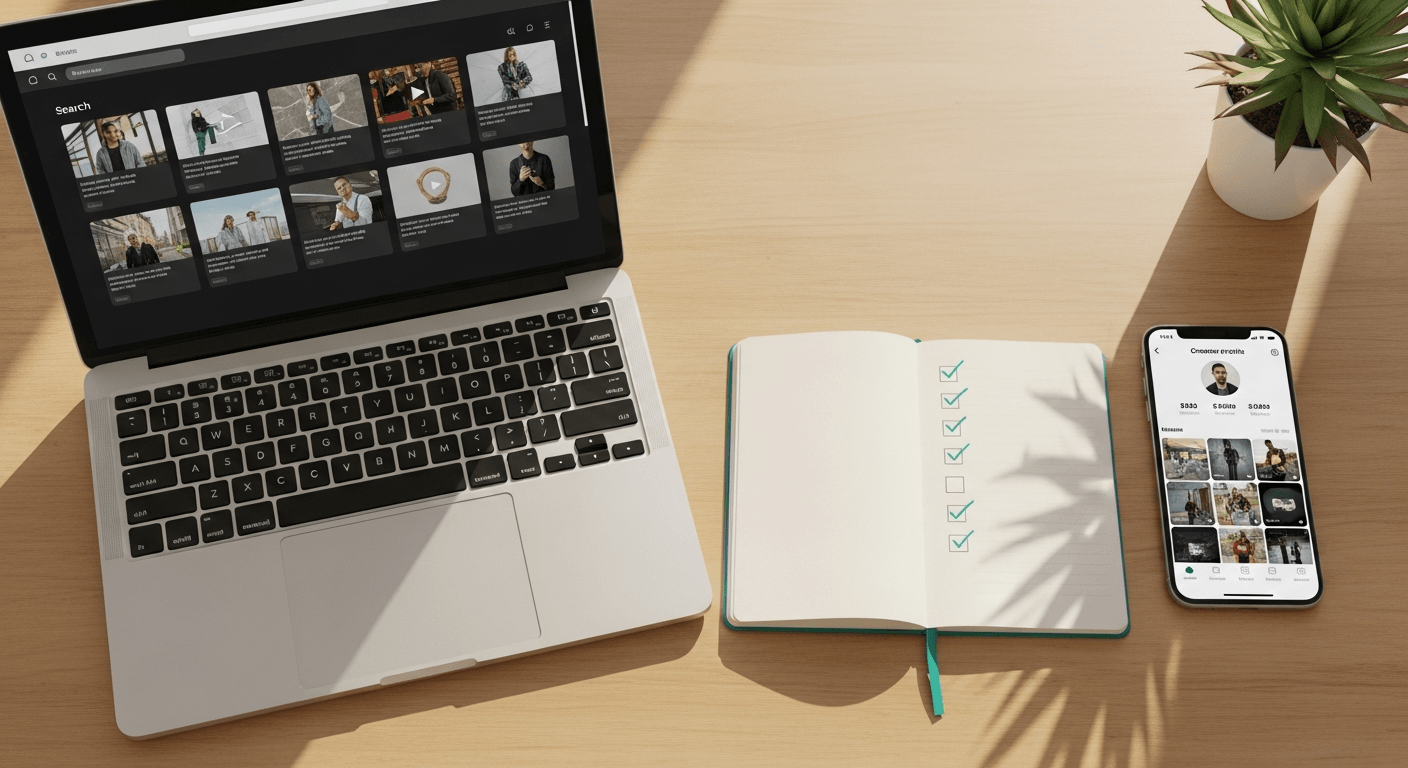
The fastest 2026 path is a free, browseable, indexable creator database. You can find ten YouTube creators that match your niche, audience size, and budget in under five minutes, without an account, without a sales call, and without paying a platform fee. That's the model Superdeal is built around: free to search, free to filter, free to read profiles, with a flat per-deal fee only when you contract.
The flow:
Open the creator database. Filter by
platform = YouTube.Add the niche filter (beauty, fitness, gaming, finance, food, tech, etc.).
Add the subscriber-range filter — pick the tier matching your budget (use the tier breakdown above).
Sort by engagement rate, not subscriber count. Engagement is the better predictor of campaign performance.
Open three to five profiles. Each profile shows a portfolio sample, audience demographics, past brand work, and the creator's listed rate range.
Send a deal directly from the profile.
You're not just looking at a name and a subscriber count. The profile data includes engagement, audience location, past brand fit, and whether the creator is open to whitelisting and exclusivity. Those are the things that determine whether a deal actually performs.
The other free database to know is the YouTube channel discovery experience inside YouTube itself, but it's a different tool with a different job. We cover it in Method 3.
Method 2: How to Use Social Blade for Free Channel Vetting
Social Blade is the closest thing to free public analytics for YouTube channels, and it's the single best free tool for vetting a creator before you reach out. Social Blade pulls data from YouTube's public API (the same data anyone can see on a channel page) but aggregates it into 30-day, 90-day, and lifetime charts so you can see whether growth is real or manufactured. (Social Blade)
Three checks in under a minute per channel:
Subscriber chart shape. A healthy channel grows in a steady line or a stepped pattern (with bumps from viral videos). A flat line followed by a vertical spike is a sub-buy signal.
Average views per video as a percentage of subs. Healthy long-form channels deliver 5%–25% of their subscriber count in views per upload. Below 2% on the last ten videos is a red flag for sub-bots or audience laundering.
Upload cadence. A consistent 1–4 uploads per week is the healthy band. Long inactive periods followed by sudden bursts often correlate with channel-flipping or bot-driven inflation.
Social Blade also surfaces estimated earnings, which are wildly inaccurate for ads but useful as a relative-scale proxy. Don't quote those numbers in a brief, but use them as one signal among several.
The tool's grade ranking (A+ through F) is calculated from a mix of subscribers, views, and growth rate. It's a useful filter but a poor proxy for sponsorship performance. Many of the highest-converting micro-tier creators on Superdeal sit at C or D Social Blade grades. Grade tells you scale, not fit.
Method 3: YouTube Native Search (And the Filters Most Brands Skip)
YouTube's own search bar is underused for creator discovery because most marketers default to videos, not channels. The single change that turns YouTube search into a creator-discovery tool is clicking the Filter button and switching the Type filter to "Channel." (Google / YouTube Help)
Once you're in channel mode, three search patterns work consistently:
Niche keyword + Channel filter. Search "morning routine," set Type = Channel, scroll. You're now looking at people whose entire identity is morning-routine content, not the one-off video that happened to rank.
Long-tail review queries. Search "best espresso machine 2026," then filter to Channel. The creators who appear consistently for buyer-intent queries are the ones with audiences in active purchase mode, exactly the audience direct-response brands want.
Branded competitor searches. Search "[your competitor's product] review." The creators who've reviewed competitors are the ones already comfortable doing the kind of integration you're paying for. We cover this more in Method 5.
Skim each channel for upload frequency and recent uploads. A channel whose last upload is six months old is either dormant or pivoting, neither of which is what you want for a 30-day campaign window.
The advantage of native search is signal-strength. The creators ranking organically for your category are by definition the ones YouTube's algorithm trusts to put in front of an interested audience. Disadvantage: there's no audience-demo data and no rate transparency, so you'll do double the work to vet and contract once you've found candidates.
Method 4: AI-Powered Search ("Find Me Beauty YouTubers Under 100K Subs in the U.S.")
The biggest 2024–2026 shift in creator discovery is natural-language search. Instead of filtering by tens of fields, you describe the creator you want in a sentence and the system returns matches. Superdeal's database is structured to be agent-readable, both for humans typing into a search bar and for AI agents using our REST API or MCP server to discover creators on a brand's behalf.
The queries that work look like this:
"Beauty YouTubers in the U.S. with 50K–200K subscribers and 8%+ engagement rate."
"Personal-finance creators who've sponsored fintech apps in the last 90 days."
"Gaming channels with U.S.-skewed audiences, 100K–500K subs."
"Fitness creators making long-form content with three or more brand integrations in the past year."
AI search beats filter-clicking once you know what you want, but it's most useful for brands that haven't fully scoped their ideal creator yet. The model surfaces types you didn't think to search for. The gain isn't speed for known queries; it's discovery for unknown ones. The differentiator across platforms isn't the AI layer itself but the underlying data structure: whether the model is matching against shallow tags or deep signal.
Method 5: Competitor Sponsor Mining (Find Who's Already Paid to Promote)
The single most underused method in 2026 brand-side creator discovery, and the closest thing to a "free targeting list" you'll ever get. Every YouTube creator who has integrated a competitor's product in the last 12 months is a pre-qualified candidate for your brand: they take sponsorships, they accept your category, and they've already proven their audience converts.
The process:
Pick three to five direct competitors.
On YouTube, search "[competitor brand name]" — sort by upload date (last year).
Filter for sponsored mentions: typically videos with "sponsored by," "[brand] sent me," or "ad" in the title or first 60 seconds. Most creators disclose, partly because the FTC requires material-connection disclosure and partly because YouTube's paid-promotion checkbox triggers the in-video overlay.
List every creator who appears. Skip pure-review channels that cover everyone's product. Focus on creators with one or two sponsorships in your category.
Cross-check growth pattern on Social Blade (Method 2) and engagement quality on YouTube (Method 3).
Reach out referencing the competitor integration: "I saw you partnered with [competitor]. We make a similar product but better at [X] — would you be open to a comparable integration?"
Reply rates run several multiples of cold "we love your channel" pitches because the pitch leads with the most relevant possible signal: the creator already takes deals in your exact category.
👉 Send your first YouTube deal in 30 seconds with Superdeal →
Method 6: Niche-Specific Directories and Community Tabs
Every niche has its own discovery surfaces. Find a community-curated list, then verify each candidate against the vetting checklist below.
Where these surfaces live:
Subreddits — most niches have a "best creators" thread updated annually with niche-specific taste the average marketer doesn't have.
Industry newsletters, podcasts, and trade publication awards lists — useful as starting points; tend to skew large.
YouTube's own community tab — the lateral-discovery layer. Open a creator you trust, scroll through who they collaborate with and tag. Almost always free, almost always undervalued.
Conference speaker lists — VidCon, niche-specific events. Speakers tend to have both audience and operational sophistication to handle a brand deal.
Signal density is high; volume is low. Use this as a complement to a database, not a replacement.
Method 7: Direct Outreach via Comments and the Community Tab
The cheapest and most personal path. Works only if you invest the time. Pure cold "we love your channel" emails get reply rates in the single digits; cold engagement that demonstrates you've actually watched the content gets reply rates above 30%.
The two-step pattern:
Engage publicly first. Leave specific, real comments on three to five recent videos. Not "great video," but something pointed about what you learned or noticed. Creators notice. So do their teams.
Follow up via their listed contact channel. Most creators put a business email in the channel's About page. Use the channel they've listed; emailing a personal address you've reverse-looked-up is the fastest way to lose the deal.
Patterns that hurt reply rates: generic subject lines ("Brand collab opportunity"), asking for the rate before introducing the brand, attaching long brand decks as the first message, and promising "exposure" to creators with audiences larger than yours.
The full outreach template is at the bottom of this guide.
How to Vet a YouTube Influencer in Under 5 Minutes
Once you have a shortlist of five to ten candidates from any of the methods above, vetting is the difference between a campaign that performs and one that doesn't. The single best engagement-quality signal on YouTube is the comments-to-views ratio, not the like-to-views ratio. Likes are easy to fake at scale; comments require real audience members typing real sentences.
Run through this six-point checklist on every shortlisted channel:
Avg views per upload as % of subs (last 10 long-form). Look at the views-to-subs ratio across recent uploads. Pass: 5%–25%. Red flag: below 2% suggests sub-bots or audience laundering.
Comments-to-views ratio. Compare comment volume to view count on the last 10 videos. Pass: 0.5%–2% (above 5% is real but unusual). Red flag: below 0.1% is engagement laundering.
Comment quality (eyeball). Read the top 20 comments on three recent videos. Pass: real audiences leave specific reactions, jokes, and questions referencing the content. Red flag: emoji strings and one-word praise.
Upload cadence. Look at consistency over the last 90 days. Pass: 1–4 uploads per week consistently. Red flag: long gaps followed by bursts (the flip pattern).
Past brand deals. Scan the last 60 days of uploads for visible integrations. Pass: deals across varied, reputable categories. Red flag: five sponsorships in sketchy categories (crypto, dropshipping).
Engagement on Shorts vs long-form. If the channel does both formats, compare audience signal across them. Pass: healthy signal in both formats — short-form averages roughly 9–11% engagement compared to ~8% on long-form. Red flag: wildly mismatched engagement between formats.
If five out of six checks pass, the creator's worth contracting. If three or fewer pass, move on. There are always more candidates.
How Much Do YouTube Influencers Cost in 2026?
This is the question every brand asks first and the one most public guides answer worst. Across 200+ YouTube deals on Superdeal in Q1 2026, micro-tier creators (10K–100K subs) ranged $300–$1,500 per long-form integration; mid-tier (100K–500K) ranged $1,500–$6,000; macro-tier (500K–1M) ranged $6,000–$15,000. Variance inside each tier is wide, driven by niche, engagement, U.S. vs international audience, and what add-ons are included.
Here are the realistic 2026 ranges, by tier and format:
Micro (10K–100K subs). $300–$1,500 for a 60-second integration; $1,000–$5,000 for a dedicated video; $200–$800 for a Shorts deal. Best entry point for performance and DR campaigns.
Mid (100K–500K subs). $1,500–$6,000 for an integration; $5,000–$20,000 for a dedicated; $800–$2,500 for a Shorts deal. The most common deal band on Superdeal in Q1 2026.
Macro (500K–1M subs). $6,000–$15,000 for an integration; $20,000–$50,000 for a dedicated; $2,500–$8,000 for a Shorts deal. Awareness and product-launch tier.
Add-ons stack on top of the base rate:
Whitelisting / Partnership Ads / Spark Ads: typically +20–40% per month of paid usage. Run the integration as an ad through the creator's own handle and inherit their account credibility.
Category exclusivity: +20–50% per category locked, typically for 30–90 days post-publication.
Extended usage rights: 90-day or 1-year usage adds 25–50%; perpetual usage 100%+ on top of the base.
Repost on a brand handle: typically a flat $200–$500 add-on for micro-tier, scaling with reach.
These numbers are pulled from real platform data, but they're directional, not guaranteed. The single best way to learn what a creator actually charges is to ask them. Most are transparent once you've shown you understand the format and have a budget. The Superdeal database lists creator-stated rate ranges directly on the profile, which short-circuits two weeks of email back-and-forth.
For the contractual side — what to put in writing once you've agreed on a rate — see our influencer contract template guide.
Outreach Templates That Actually Get Replies
Two templates. Both have been A/B-tested against the standard "we love your channel" cold outreach, and both consistently deliver reply rates above 30% on micro-tier creators when the brand fit is real.
Cold email — paste-ready
Subject: Quick partnership idea — [your brand], inspired by your [video title or topic]
Hi [first name],
I'm [your name], [role] at [brand]. I watched your [specific video, with a one-sentence reaction that proves you actually watched it] — that section about [specific moment] is exactly the angle our customers care about.
We make [one-sentence product summary]. Would you be open to a sponsored integration along the lines of your [referenced video]? I'm thinking a 60-second mid-roll, 30-day paid usage, $[rate-band specific to their tier].
If the format or rate is off, tell me what works. Happy to flex.
[Your name] [Brand], [website]
YouTube DM template
Hey [first name] — loved your [specific video]. We'd like to discuss a sponsored integration that fits your channel. Email me at [your email] and I'll send a one-paragraph brief — happy to work to your usual format and turnaround.
What NOT to say:
"We love your channel and think we'd be a great fit." — generic, signals no time invested.
"What are your rates?" — first message. Lead with the offer, not the discovery question.
"We don't have a budget but exposure" — instant pass.
Long-form brand decks attached to the first email. Save the deck for after they've replied.
Manual Search vs. Free Database — When Each Wins
There's no universal answer. Your stage, team, and time budget determine which method wins. Here's how the two approaches compare across the dimensions that actually matter:
Best fit. Manual: targeting a very specific aesthetic or niche where databases are thin (regional dialect channels, hobby verticals with sub-100 creators). Database: finding 5+ creators in the same campaign cycle.
Time to find 10 fits. Manual: 2–4 hours of search and verification. Database: about 5 minutes with platform + niche + tier filters.
Rate transparency. Manual: email back-and-forth, two weeks of quoting. Database: creator-stated ranges shown on the profile.
Vetting data. Manual: DIY using Social Blade and manual scroll-through. Database: engagement, audience demos, and past brand work pre-shown.
Send-a-deal flow. Manual: manual outreach, custom contract drafting. Database: direct deal from profile with built-in contract.
Team requirement. Manual: hours from a dedicated researcher. Database: workable for small teams without research headcount.
Cost. Manual: your team's time. Database: free to browse; flat per-deal fee only when you contract.
For most brands at most stages, the right answer is both: a free database as the default, with manual search as a top-up when database results don't quite fit.
For brands: Browse 50,000+ creators, filter by YouTube →
Free vs Paid Tools — What Each Does Well
Free tools cover most use cases. Paid tools earn their fee when you're running scaled programs or need defensible audience data.
Free options:
Superdeal (free to browse, paid per deal). Full database, filters by platform/niche/subs/engagement, profile-level rate transparency, AI search, agent-API access. Best for brands of any size who want database-quality data without a subscription.
YouTube native search + Channel filter. Best for deep niche discovery and lateral exploration. No audience data, no rate transparency.
Social Blade. Best for vetting a known candidate. Free up to a daily query limit. No discovery layer.
Google + YouTube on the same SERP. Best for finding creators who rank organically for your category's buyer-intent queries.
Paid options (general patterns):
Audience-intelligence platforms ($200–$2,000+/mo). Fit for brands at $50K+/month spend who need defensible audience-overlap data, fraud detection, and bulk export.
Influencer marketing agencies ($5K–$25K/mo retainer). Fit for brands without internal creative-ops who'd rather offload sourcing and management.
Tier-1 SaaS suites (enterprise pricing). Fit for brands running 50+ campaigns a year with full creator lifecycle management. Typically overkill below that volume.
The rule: start free. Move to paid only when you can name a specific data point or workflow the free tools don't deliver.
Frequently Asked Questions
1. How do I find a YouTube influencer for my brand? The fastest path is a free indexable creator database with platform filters — search by niche, subscriber range, and engagement, vet portfolios, and contract directly. Beyond databases, the methods that work are YouTube native search with the Channel filter, Social Blade for vetting, AI-powered search, competitor sponsor mining, and direct outreach via comments.
2. How much do YouTube influencers cost in 2026? Micro-tier creators (10K–100K subs) typically charge $300–$1,500 per long-form integration. Mid-tier (100K–500K) ranges $1,500–$6,000. Macro-tier (500K–1M) ranges $6,000–$15,000. Add-ons like whitelisting (+20–40%), category exclusivity (+20–50%), and extended usage rights (+25–100%) stack on top.
3. What's the best free way to find YouTubers? Start with a free creator database that lets you filter by platform — Superdeal lists tens of thousands of YouTube creators with no account required. For deeper niche discovery, use YouTube native search with the Type filter set to Channel. For vetting a known candidate, use Social Blade's free public-API analytics charts.
4. How do I check if a YouTube channel's audience is real? Run three checks: average views per upload as a percentage of subscribers (healthy 5%–25%, red flag below 2%), comments-to-views ratio (healthy 0.5%–2%, red flag below 0.1%), and comment quality on a manual scroll-through (real audiences leave specific reactions; bot audiences leave emoji strings and generic praise).
5. What's a good engagement rate on YouTube? For long-form, 5%–25% average views as a percentage of subscribers is the healthy band. For comments-to-views, 0.5%–2% is healthy. Shorts run 1.4× higher engagement-per-view than long-form on average, so apply different benchmarks to each format. Below 2% on long-form views is the threshold to investigate further.
6. Should I work with Shorts creators or long-form creators? Depends on the goal. Shorts work for awareness, low-consideration launches, and reaching mobile-first audiences quickly — they tend to deliver higher engagement-per-view and cost less per integration. Long-form works for considered purchases, complex products, and DR campaigns where in-context integrations convert. Hybrid creators give you both.
7. How long does it take to close a YouTube deal? Manual outreach typically takes two to four weeks: discovery, vetting, intro email, rate negotiation, contract drafting, payment terms, scheduling. Through a creator marketplace with profile-level rate transparency and built-in contracts, the same flow runs same-day to 48 hours, with payment held in escrow until delivery.
8. What's the difference between a YouTube influencer and a YouTube creator? The terms are mostly interchangeable. "Creator" is the platform-preferred term — YouTube uses it in its own creator-economy reports and creator-tool documentation. "Influencer" is the marketing-side term, more common in agency briefs and contracts. The two refer to the same people; the distinction is mostly tribal.
Sources and further reading
eMarketer — FAQ on Influencer Marketing: What and How Brands Use
eMarketer — Influencer Marketing Set to Surpass $13 Billion by 2027
Pew Research Center — Americans' Social Media Use 2025
Search Engine Journal (covering Pew) — Pew: 84% of Adults Use YouTube as Platform Growth Continues
Tubular Labs — Hidden Trends, Big Moves: What Audience Data Reveals About the Next Wave of the Creator Economy
Google / YouTube Help — Advanced Search (Filters)
Federal Trade Commission — Endorsements, Influencers, and Reviews
Social Blade — YouTube, Instagram, Twitch, TikTok statistics
DemandSage — YouTube Shorts Engagement and Performance Statistics
Sprout Social — 32 Influencer Marketing Statistics to Know in 2026
HubSpot — The HubSpot Blog's 2026 Social Media Marketing Report: Data from 1,100+ Global Marketers
For brands: Browse YouTube creators on Superdeal — free → For creators: List yourself on Superdeal — free →